Create a Free QR Code — Without It Dying After 14 Days
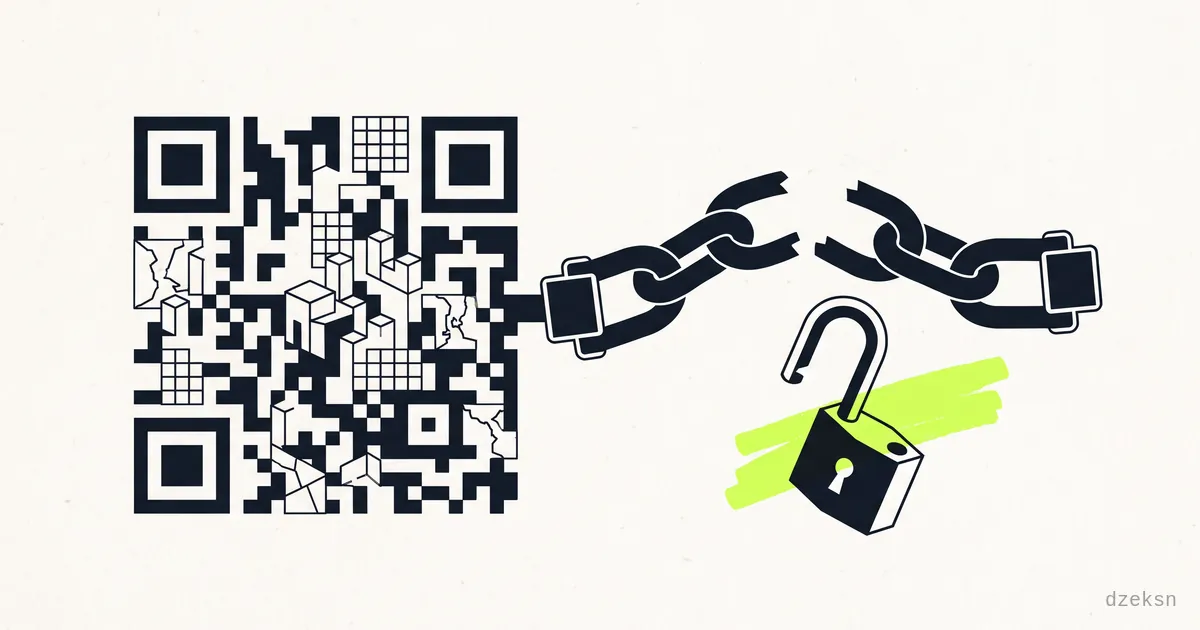
The short answer first: yes, you can create a QR code completely free of charge, and it will work forever — if you make a static QR code. A static code is nothing more than your web address, encoded as a pattern of black and white modules. It needs no provider, no server, no account. Once generated, it's yours.
The problem: many "free" QR generator websites quietly create a dynamic code instead. It doesn't point to your address, but to the provider's redirect domain — and that shuts down when the trial period ends. Suddenly the code on your freshly printed menu leads to an error page or a payment prompt. That's exactly the trap we're going to look at now — followed by the solution that gets you both: a permanent code and measurable scans.
The Subscription Trap: How Printed QR Codes Die
The pattern is always the same, and it hits hardest those who can least afford it — restaurant owners, clubs, the self-employed:
- You search for "create QR code free" and land on a generator website.
- You enter your address, download the code, everything seems free.
- You print it on menus, flyers, club posters, business cards.
- After 7 or 14 days, a trial period ends that you never consciously read about.
- The code now leads to the provider's page: "Upgrade required" — or simply nowhere.
The trick behind it: the provider didn't write your address directly into the code, but a short URL on its own domain that redirects to your destination. As long as it redirects, everything works. The moment it shuts down, your printed code is worthless — and reprinting costs real money. It's not fraud in the legal sense; it's usually somewhere in the fine print. But it's a business model built on exactly that moment: the print run is out, now you pay.
Static or Dynamic — the Difference in One Minute
- Static QR code: Your destination address is embedded directly in the pattern. Any phone camera decodes it with no middleman. No provider involved, no expiry date, no running costs. Downside: the address is burned in — you can't change the code afterwards, only generate a new one.
- Dynamic QR code: The pattern contains a redirect address belonging to the provider. Upside: the destination can be changed later and scans can be counted. Downside: you're permanently tied to that provider — technically and financially.
Here's how to check any code before printing: scan it and look at the address before you open it. If it shows your own domain, the code is static and safe. If it shows an unfamiliar short domain you don't recognize, you have a dynamic code — with a built-in expiry date.
How to Create Your Permanent QR Code
- Choose the destination address. For anything printed to last — menu, company sign, business card — use an address on your own domain. Short and stable, ideally without parameter clutter.
- Generate a static code. Common QR generator websites can do this; make sure the destination address is encoded directly and the download works without an account. Many graphics programs and office tools now have a built-in QR feature that generates static codes too — completely offline.
- Test, then print. Scan with several phones, check the displayed address, review the destination page on a phone. Only then send it to print.
- Big enough, with a margin. Rule of thumb: at least 2 × 2 cm print size, a calm light-colored area around it, sufficient contrast. A code nobody can scan is as useless as an expired one.
Tip: Keep the encoded destination address together with the print file. If you have new materials printed later, you can regenerate the exact same code at any time — that's the whole point of a static code: it's reproducible without depending on any provider.
Measuring Scans — with Your Own Short Link Behind the Code
A static code has one honest drawback: it counts nothing. You'll never know whether your poster brought 500 scans or five. The solution, without falling back into provider dependency: you encode a short link into the static code — and the short link logs the visits.
That's exactly what we built Track & Short for, a free in-house project with no login: enter a URL, optionally pick a custom alias and a label, get your short link. Every link comes with a private dashboard that records each visit — time, approximate location, provider, device and browser. So you can see in black and white whether the flyer in the shop window or the poster at the clubhouse brings more scans. What a single click technically reveals is covered in what a link click reveals about you.
And here we stay honest by our own rule: a short link is a redirect too — with the same rules of the game as above. Track & Short links have a selectable lifetime of 7, 30 or 90 days and expire afterwards; the destination of a created link cannot be changed later. Hence the clear recommendation:
- Permanent print (menu, sign, business card): static code pointing directly to your own domain. No measurement, but indestructible.
- Time-limited campaigns (event flyers, promo posters, a notice for a club event): static code pointing to a short link with a matching lifetime — and the dashboard shows you exactly how often and when it was scanned.
How to set up such a measurement in practice and read the numbers correctly is covered in detail in measuring QR code scans.
Conclusion
A QR code rightly costs you nothing — it's just encoded text. Don't let any generator website sell you a subscription for something your phone can decode without any server involved. For anything that hangs around for a long time, use a static code pointing to your own address. And if you want to know whether a campaign works, put a measurable short link behind it — with a lifetime you choose deliberately, instead of a trial period that catches you by surprise.
Frequently Asked Questions
How do I tell whether my QR code is static or dynamic?
Scan it and read the displayed address before opening it. If it points directly to your own domain, the code is static. If it points to an unfamiliar short domain belonging to the generator, it's dynamic — its functioning then depends on the provider and usually on a payment model.
Can a static QR code expire?
The code itself can't — the pattern encodes your address permanently, with no service involved. It can only lead nowhere if the destination page itself disappears. So for print, choose a stable address on your own domain.
How can I count for free how often my QR code is scanned?
Instead of the direct address, encode a short link that logs visits. With Track & Short you create such a link for free and without a login, and the private dashboard shows the time, approximate location, device and browser of each visit. Mind the selectable lifetime of 7, 30 or 90 days — that suits campaigns and promotions, not permanent print.
Can I change the destination of a printed QR code afterwards?
With a static code, no — the address is fixed in the pattern. The practical workaround: point the code at a page on your own website and change the content there. The printed code stays valid while you rebuild behind it whenever you like.
Why are dynamic QR codes even allowed if they get switched off later?
Because the terms are usually in the fine print: the free code belongs to a trial period, after which the payment model kicks in. Legally that's usually clean; in practice it's a cost trap — especially once the code is already printed. Your safeguard: scan before printing and check whose domain is inside the code.