Website Builder Limitations: When Switching Pays Off
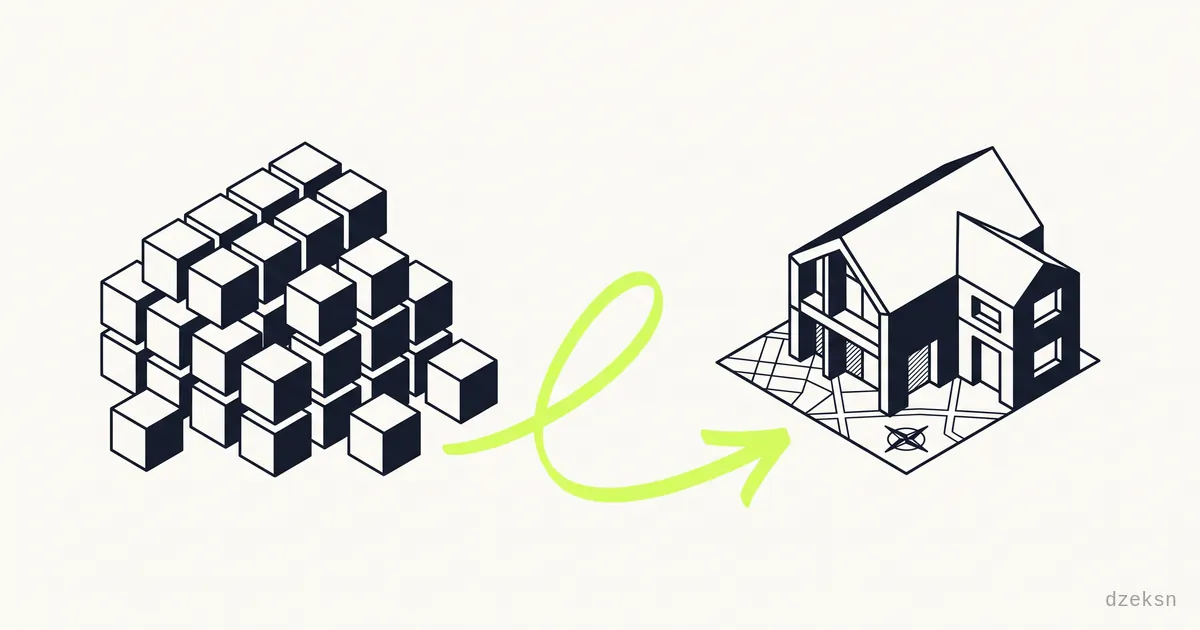
A website builder is not a bad choice per se. For a quick start, a hobby project or a temporary solution it does its job: you click a page together in a few hours without writing a single line of code. The decisive question is a different one: will that solution still carry your business once the website is supposed to bring in customers?
The short answer: builders limit you in four areas — design, technology, search visibility and cost over the years. As long as none of these limits matters to you, you can stay where you are. But as soon as inquiries are supposed to come in through your website, exactly these limits become a competitive disadvantage.
In this article we weigh the trade-offs honestly, use a real client project to show what a switch actually changes, and explain how a migration works without losing your domain or your Google rankings.
Where builders are good enough
Let's start fair. A builder is a defensible choice if:
- Your website is only a digital business card — address, opening hours, phone number
- You are still testing whether your business idea works at all
- You have no budget for a professional site and the alternative would be no website at all
- New customers come exclusively through referrals and nobody ever searches for your website
In these cases, switching would be money spent on a problem you don't have.
The four real drawbacks
1. Template look: your site looks like a thousand others
Builders live on templates. The result: your website and the one of your competitor two towns over may well be based on the same template — same structure, same image placeholders, interchangeable impression. Visitors sense this even if they can't name it. If you want to build trust, you need a presence that fits your brand, not template number 47.
2. Technical bloat and load times
A builder has to ship every conceivable feature for every conceivable customer. Your visitors download that code too — including the 95 percent your site never uses. The result is noticeably longer load times, especially on a smartphone over a mobile connection. Google measures load time as a ranking factor, and visitors leave when nothing happens for seconds.
3. SEO limits
Much of what makes up good technical SEO can only be controlled partially or not at all in a builder: the exact structure of the source code, structured data for Google, clean heading hierarchies, individual meta tags per page, load-time fine-tuning. You are competing with the handbrake on. Why this matters especially for local businesses is covered in our article Your website brings no inquiries — the most common causes.
4. Ongoing fees and the hard exit
Builders cost money monthly — forever. Over five years even small fees add up to an amount that could long since have paid for a website of your own. The real catch, however, is the exit: your content is locked inside the provider's system. An export to another system usually doesn't exist or is rudimentary at best. Whoever switches practically rebuilds. On top of that come data protection issues: many builders load fonts or scripts from third-party servers — a GDPR risk you cannot switch off yourself. The underlying pattern — paying monthly forever instead of owning your site — is weighed up in detail in renting or buying a website.
Note: check in your builder's account settings or its terms of service who owns the domain if you registered it through the provider. This is the single most important point for a migration.
Case study: from builder to a website of your own
The Munich musician and DJ Benji Holiday had built his first website with a well-known website builder — understandably, because it was online fast. At some point, though, the site no longer fit his premium booking business: template look instead of his own signature, noticeable load times, limited SEO options.
We rebuilt the site as a fully independent website: benjiholiday.com. What actually changed:
- Individual design instead of a template — the site now carries his brand, not the builder's
- Significantly faster load times, because only the code the site really needs is delivered
- Complete SEO: clean meta tags, structured data, optimized images, locally hosted fonts (GDPR-compliant)
- All content is portable: the website consists of open standard files and can be moved to any host at any time
- It is hosted for free on GitHub Pages — no monthly fees at all anymore
The last point is not a special case: static business websites can be hosted for free with your own domain — the only remaining cost is the domain itself, roughly 10 to 20 euros per year.
When switching pays off for you
A switch makes sense if at least two of these statements apply:
- Your website is supposed to actively bring in inquiries, but doesn't
- You have been paying monthly for over two years and have hit the system's limits
- Your site looks interchangeable and no longer matches your positioning
- Your site loads noticeably slowly on a smartphone
- You want to be independent — of price increases, feature changes or the provider's future
What a professional rebuild costs, we have broken down transparently: Having a website rebuilt — costs. Businesses in Bavaria can also check whether the Digitalbonus Bayern — a Bavarian digitalization grant — covers part of the investment.
How the migration works — without losing rankings
The biggest worry about switching is a legitimate one: "Will I lose my Google rankings?" Not if the migration is done cleanly:
- Keep your domain. Your domain is your most important digital asset. It is transferred from the builder provider to an independent registrar (request the auth code) or — if registered externally — simply pointed at the new website.
- Take over and improve the content. Texts, images and contact details are transferred and usually reworked in the process — better structure, better copy, compressed images.
- Set up redirects. Every old URL Google knows redirects via 301 to the corresponding new page. That preserves rankings and existing backlinks.
- Test first, then switch. The new site goes online under a test address, gets checked, and only then is the domain switched over. Downtime: practically zero.
- Cancel the builder. Only after a successful switchover — not before.
A cleanly executed migration takes a few days to two weeks depending on scope. You can find examples of completed projects in our showroom.
Frequently Asked Questions
Can I simply export my builder content?
Usually only partially. Texts and images can generally be saved manually, but the design and page structure cannot — they are tied to the system. That is exactly why a switch is practically always a rebuild. It's not a drawback, though: the content gets reworked and improved along the way anyway.
Will I lose my Google rankings when switching?
No, as long as two things are right: you keep your domain, and all old URLs are redirected to the new pages via 301 redirects. Google follows the redirects and transfers the ranking signals. In many cases rankings even improve after the migration, because the new site is technically cleaner and faster.
What if my domain runs through the builder provider?
Then request the auth code (transfer code) from the provider and move the domain to an independent registrar. You are generally entitled to this. Important: move the domain or initiate the transfer first, then cancel the builder contract — not the other way around.
Is switching worth it for a small five-page website too?
Especially then. Small websites are rebuilt quickly, and the saved monthly fees pay back the investment within a few years. What matters is less the number of pages than the question of whether the website is supposed to bring in customers. You will find a cost overview by scope in the article What does a website cost for a small business?.
How long does a complete migration take?
For a typical business website with five to ten pages: one to two weeks from order to go-live, including a new design, content migration and redirects. The domain switchover itself takes only hours and happens without any notable downtime.